

Build vs. Buy Software in 2026: What Actually Changed

- Why the Build vs Buy Question Looks Different Now
- What AI Actually Changed About the Cost to Build vs Buy
- The Real Cost to Build vs Buy: A Three-Year View
- How We Replaced Internal Apps in a Few Weeks
- The Real Risks of Building With AI
- When to Build vs Buy: A Practical Framework
- The Decision Has Gotten Easier to Get Right


Key Takeaways
- The old build vs buy math no longer holds. AI-assisted development cut delivery time and cost by 2-3x – what used to take 10 months and $100K+ can now be done in 3 months for $30K. [What AI Actually Changed]
- Most companies use 20-50% of their SaaS features but pay for all of them. The “Feature Tax” – paying a higher tier just to unlock one capability – is a real and measurable cost. [The Real Pain]
- Over a 3-year horizon, custom software typically costs $30K-$53K total. A comparable SaaS runs $44K-$124K when you factor in seat fees, tier upgrades, and opportunity cost. [Three-Year Cost Comparison]
- Mid-tier SaaS is becoming commoditized. Project trackers, time loggers, internal dashboards – the core logic is increasingly replicable. Complex enterprise systems are a different story. [Commoditization of SaaS]
- Data ownership matters more than most teams realize, especially if you’re processing sensitive data through AI tools. Custom software means your data doesn’t leave your environment. [Data Ownership]
- Building with AI has real risks: technical debt, maintenance ownership, and scope creep. Knowing when SaaS still wins is part of making the right call. [Risks of Building With AI]
- We replaced a $500/month app in three weeks, with one engineer, Claude, and no prior experience with the stack. The replacement works better than what it replaced. [Our Internal Case]
The build vs buy software debate has been going on for decades. And for most of that time, the answer was fairly predictable: buy, unless you have a very specific need that nothing on the market can address. SaaS was cheaper to start, faster to deploy, and someone else handled the infrastructure headaches. The math was simple.
That math has changed. Not because SaaS got worse, but because building got dramatically faster and cheaper – largely thanks to AI-assisted development. If earlier the development of a conventional enterprise application took 8-10 months and cost $100,000+, today a similar solution can be implemented three times faster and for as little as $30,000. Therefore, I think, the old rules are not based on the reality of today.
I want to walk through the real cost and logic of the build vs buy software decision in 2026, including a case from inside our own company where we replaced paid tools we’d been using for years. Not theory. Numbers and outcomes.
Why the Build vs Buy Question Looks Different Now
Most companies land on SaaS because it solves an immediate problem quickly. You need to track projects, manage HR records, handle customer support – and there’s a tool for that, usually available the same week you decide to buy it. That’s a real advantage, and it’s why SaaS grew the way it did.
But as business grows rapidly, the relationship between enterprises and their software tools is beginning to change. Instead of software adapting to how the company works, the company is forced to adapt to what their software enables. Processes begin to center around limited functions.
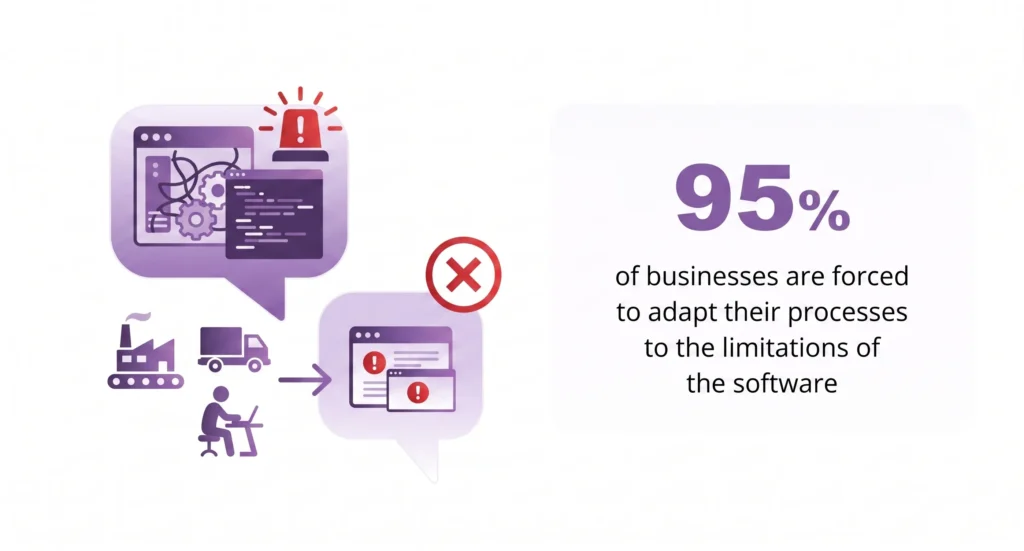
According to the PwC Digital IQ Survey, the vast majority of companies are in a state of ‘technology debt’ where their current systems are not flexible enough to support new business models. This creates a situation where 95% of businesses are forced to adapt their processes to the limitations of the software, instead of the software supporting their development (source: PwC).
The question isn’t really build or buy software as a philosophical debate. It’s a financial and operational decision that most teams revisit when something starts hurting – usually the bill, the limitations, or both.
The Real Pain: You’re Paying a Feature Tax
Here’s a pattern most SaaS users recognize. You sign up for a platform, use a handful of the features regularly, ignore the rest, and then one day realize the one thing your team actually needs is behind the next pricing tier.
That’s what I call the “Feature Tax” – the premium you pay not for what you use, but for access to the one capability that’s been deliberately locked behind an Enterprise plan. SSO authentication. API access. Advanced reporting. Custom roles. Things that are technically already built into the platform, but gated to protect the vendor’s upsell model.
The build vs buy software decision starts looking very different when you calculate what you’re actually paying for. Most companies use between 20% and 50% of the functionality in their core SaaS tools. The main reason for this is that SaaS products are designed for mass use and only a few offer “pay for functionality slots”. So companies continue to pay for a bunch of unnecessary features every month, regardless of the circumstances.
Then there’s the seat fee problem. A tool that costs $25 per user per month sounds manageable at 10 people. At 40 people it’s $1,000 a month. At 80 it’s $2,000. The vendor’s revenue grows automatically as your team does, without them adding any value proportional to that growth.
You’re not just paying for software. You’re paying for features you don’t use, tiers you don’t need, and seats that don’t scale with your actual return on investment.
Build vs Buy Software: Pros and Cons
Before we get to the numbers, it’s worth being direct about what each path actually involves. The build vs buy software pros and cons discussion often gets simplified into “SaaS is easier, custom is better.” Neither is universally true.
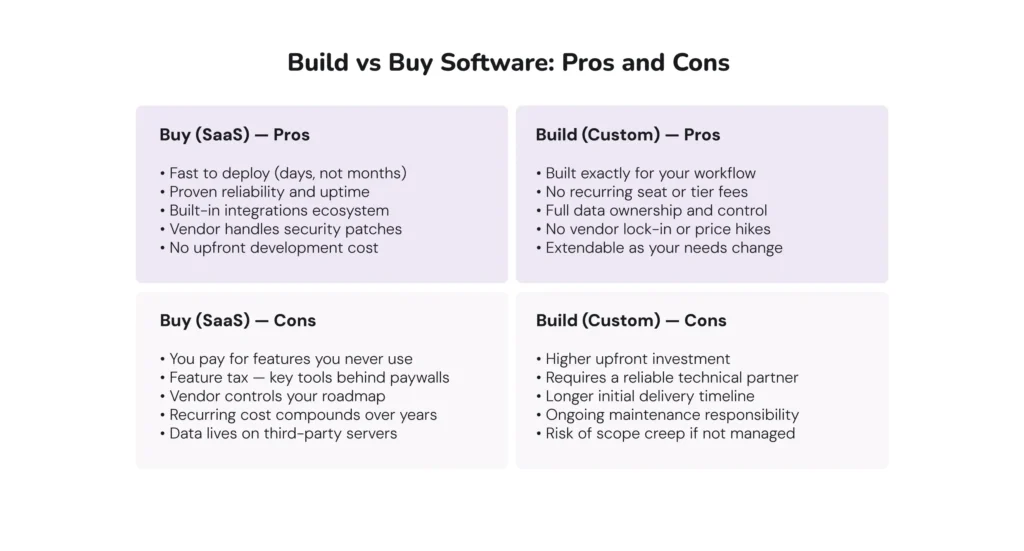
| Buy (SaaS) – Pros & Cons | Build (Custom) – Pros & Cons |
| • Fast to deploy (days, not months) • Proven reliability and uptime • Built-in integrations ecosystem • Vendor handles security patches • No upfront development cost | • Built exactly for your workflow • No recurring seat or tier fees • Full data ownership and control • No vendor lock-in or price hikes • Extendable as your needs change |
| • You pay for features you never use • Feature tax – key tools behind paywalls • Vendor controls your roadmap • Recurring cost compounds over years • Data lives on third-party servers | • Higher upfront investment • Requires a reliable technical partner • Longer initial delivery timeline • Ongoing maintenance responsibility • Risk of scope creep if not managed |
The honest version: buying is faster to start and simpler to manage, but compounds in cost and rigidity over time. Building has a higher upfront cost but pays off when you expect to use the tool for more than 18-24 months and when your workflow has specific requirements that generic software can’t address cleanly.
What AI Actually Changed About the Cost to Build vs Buy
The assumption baked into most build vs buy software analysis is that custom development is expensive and slow. For a long time, that was accurate. A mid-complexity internal tool might have taken 4-6 months and $50,000-$80,000 to build properly. That made the SaaS option look very attractive even with its limitations.
Modern approaches to AI coding have significantly reduced this time. Using AI tools like Claude Code, Cursor, and GitHub Copilot, engineers can develop the same tool in 2-3 months and at $20,000-$40,000, depending on complexity. This is a reduction of both time and cost by two to three times.
One important caveat worth stating clearly: At this moment, Vibe coding does not make complex software cheap. While AI can practically build simple products by itself, creating complex billing logic, building a multi-user architecture, and complying with regulatory requirements still require engineering expertise.
Artificial intelligence accelerates routine work; it does not exclude the engineering judgment required to solve complex problems. The question of “build or buy software” still requires an honest definition of the scope of work.
But for the middle tier – internal tools, workflow automation, operational dashboards, lightweight CRMs, project management utilities – the cost to build vs buy has genuinely shifted. Custom software development is now a realistic option for companies that would have dismissed it three years ago.
The Commoditization of SaaS: What AI Made Possible
There’s a broader shift happening beneath the individual build vs buy software decision criteria. SaaS products – particularly in the small-to-mid tier – are becoming commoditized faster than the vendors that build them would like to admit.
When a tool like v0.dev can generate a functional UI from a screenshot, when Claude can write the backend logic for a CRUD application in hours, when a DevOps engineer with no frontend background can ship a working web app in four weeks – the question becomes: what exactly are we paying $50 per user per month for?
For some categories, the answer is still compelling: deep integrations with an established ecosystem, compliance certifications that would take years to replicate, or genuinely complex algorithms that provide real competitive advantage. Salesforce’s predictive scoring. Workday’s payroll engine. Systems that took decades and hundreds of millions to build aren’t going to be cloned on a weekend.
But for a large portion of the SaaS market – the project trackers, the time loggers, the internal dashboards, the lightweight CRMs – the core functionality is increasingly replicable at a fraction of the subscription cost. That’s not an argument against SaaS as a model. It’s an accurate description of where the market is heading.
The Real Cost to Build vs Buy: A Three-Year View
Numbers are more useful than principles, so let’s look at a realistic scenario: a mid-sized company (40-60 people) evaluating HR management software. This is a category almost every company deals with, and the pricing structures are predictable enough to model accurately.
Assume we’re looking at a mid-tier SaaS HR platform at $12-18 per user per month, growing moderately, with some tier upgrades along the way for features like advanced analytics or API access. Over three years:
| Cost Item | SaaS (3 years) | Custom Build (3 years) |
| Initial setup / licensing | $0 upfront | $28,000–$45,000 |
| Monthly subscription (×36) | $18,000–$54,000 | $0 |
| Seat fees growth (team scaling) | $6,000–$15,000 | $0 |
| Tier upgrades (feature tax) | $4,000–$12,000 | $0 |
| Integrations & middleware | $3,000–$8,000 | $500–$1,500 |
| Hosting / infrastructure | Included | $1,800–$3,600 |
| Internal time lost to workarounds | $5,000–$15,000 | $500–$1,000 |
| Opportunity cost | $8,000–$20,000 | $0–$2,000 |
| TOTAL (3 years) | $44,000–$124,000 | $30,800–$53,100 |
The cost to build vs buy calculation almost always looks closer than people expect, and often flips in favour of building by year two – especially when you factor in opportunity cost. That’s the time your team spends building workarounds, manually exporting data between systems, or waiting on a vendor’s support queue to fix something that affects your workflow.
Not sure how these numbers apply to your stack?
Let’s calculate it together with Dinamicka’s business development manager. Schedule a free call.
Schedule a CallThese numbers vary based on team size, vendor, and what you actually build. But the structural dynamic is consistent: SaaS costs compound, custom costs front-load and then flatten.
How We Replaced Internal Apps in a Few Weeks
I want to share something from inside Dinamicka, because I think it illustrates the point better than a theoretical comparison.
Like most software teams, we run our projects in Jira. And like most Jira users, we’d accumulated a set of paid plugins over the years that filled gaps in what Jira provides out of the box. The biggest was Tempo – a capacity planning and time-tracking plugin at roughly $500 per month. On top of that, WorkLogs, another paid plugin for logging and reporting work hours. Add Jira licensing itself, and we were paying a meaningful sum monthly just for tooling that manages how our own team works.
But the biggest inconvenience was not in the price itself, but in the functionality of these applications.
At some point, we asked the obvious question: could we build replacementsб using AI? The answer turned out to be yes – and the execution was more surprising than the decision.
All it took was one engineer and a Claude Max subscription to build a Capacity Planner (our Tempo replacement) in three weeks. In fact, using Claude Code and working with technologies outside of his core stack (Node.js, MySQL and React), the engineer reproduced and expanded the functionality of an application like Tempo in a matter of weeks – without prior design, frameworks, etc.

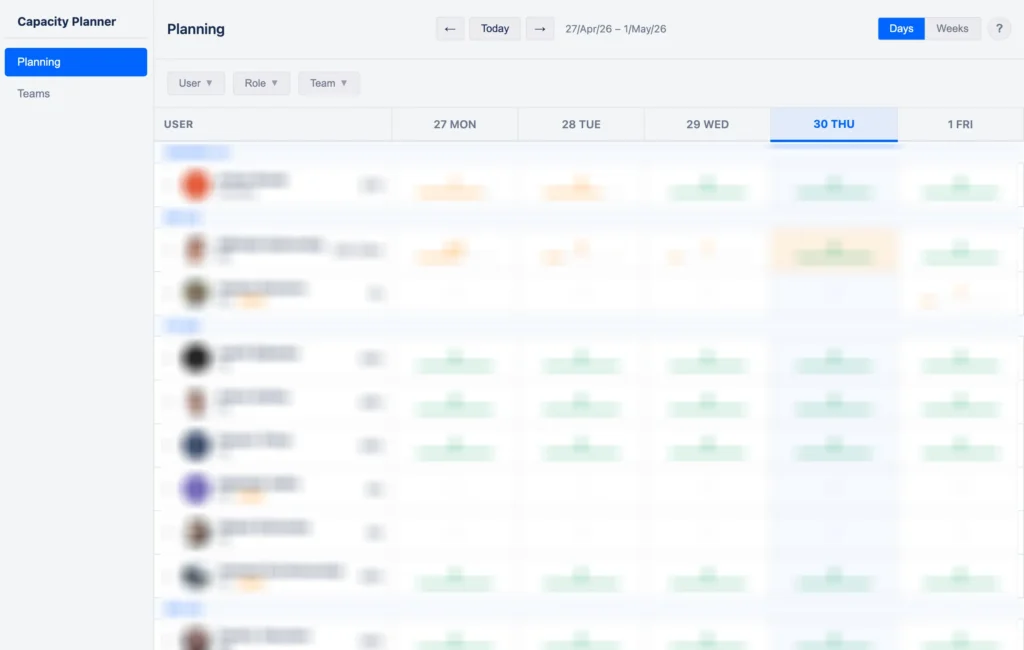
What we got wasn’t just a cheaper version of what we had. It was better in the ways that actually mattered to us:
- Pagination instead of Tempo’s horizontal scroll, which everyone found frustrating
- Right-click context menus for faster actions – something Tempo never had
- Role-based sorting that lets us filter by backend, frontend, DevOps engineers at a glance
- Contractor vs full-time distinction built into the planning view, which matters for how we staff projects
- Granular permission settings per role, not just admin vs viewer
The WorkLogs replacement is in active development now and nearly feature-complete. It already has things the paid version doesn’t: service-type categorization, instant chart rendering instead of the sluggish loading we’d dealt with for years, custom report layouts, and Excel export.
See how we approach custom builds for companies like yours
Learn MoreWe’re planning to audit the rest of our tooling stack with the same logic. This isn’t a radical philosophy – it’s just applying the same reasoning we’d give a client to our own operations.
Data Ownership Is Not a Minor Point
One of the less-discussed dimensions of the build vs buy software decision is where your data actually lives and who controls it.
When you use a SaaS platform, your operational data – employee records, project histories, customer interactions, financial logs – sits on that vendor’s infrastructure, processed by their systems, subject to their terms of service. Most of the time this is fine. But it creates dependencies that can become problems: pricing changes, acquisition by a competitor, service outages, or terms updates that change what the vendor can do with your data.
Building custom means your data stays where you put it. For companies in regulated industries – healthcare, finance, legal – this isn’t optional. For companies using AI tools to process internal data, it’s increasingly relevant. A local LLM running on your own infrastructure processes your data without it leaving your environment. That’s a material difference from sending your internal communications or financial records through a third-party AI layer.
This consideration doesn’t always tip the decision toward building. But it belongs in the build vs buy software decision criteria for any company handling sensitive information.
The Real Risks of Building With AI
This article would be dishonest if it only made the case for building. There are genuine risks in the build path that need to be named.
Technical debt without proper architecture
AI-assisted development is fast. That speed is a feature, but it can also produce code that works but isn’t well-structured. Without an experienced architect reviewing the output, you can accumulate technical debt that makes the system harder to extend or maintain six months later. The tool that saved you $300 a month can become a maintenance burden that costs more in engineering time than you saved.
The maintenance question
Who maintains it after it ships? SaaS vendors employ teams to patch security vulnerabilities, update for OS and browser changes, and handle scaling. Custom software requires someone to own that. It doesn’t have to be expensive – with a good foundation and an ongoing support arrangement, it’s usually manageable – but it can’t be ignored.
Scope and changing requirements
Building is faster than it used to be, but requirements that shift significantly mid-development still cause problems. The build vs buy software decision criteria should include an honest assessment of how stable your requirements are. If you’re building a tool for a process that’s still being defined, starting with a SaaS while you clarify requirements is reasonable.
When SaaS still wins
Complex systems with deep proprietary logic – sophisticated billing engines, multi-jurisdiction payroll, enterprise ERP with decades of edge cases – aren’t good candidates for rapid AI-assisted cloning. The surface area is too large, the edge cases too numerous, and the risk of getting something wrong too high. For those, SaaS or a major development investment is still the right answer.
When to Build vs Buy: A Practical Framework
There’s no universal answer to the build or buy software question. But there are signals that consistently point in one direction or the other.
| Signal | Recommendation |
| You use <30% of your current SaaS features | Strong case to build |
| You pay for a higher tier just for 1-2 features | Build and save the feature tax |
| Your team spends hours on manual workarounds | Build – reclaim that time |
| You handle sensitive data (health, finance, legal) | Build for data ownership |
| You need something running in 2 weeks | Buy for now, review in 12 months |
| The logic is genuinely complex (billing engine, ML) | Buy or build with experienced partner |
| You have no internal tech capacity | Buy until you do |
The Decision Has Gotten Easier to Get Right
The build vs buy software decision criteria haven’t fundamentally changed – you still weigh cost, speed, control, and risk. What’s changed is that the cost and speed of building have dropped enough to make it a realistic option for a much wider set of situations.
Three years ago, telling a 50-person company to build their own HR management tool would have been irresponsible advice from my side. Today, with the right technical partner, like Dinamicka Development and AI-assisted development, it’s a legitimate financial decision that often pays for itself within 18 months.
The companies that will get this wrong are the ones still applying 2019 assumptions to a 2026 decision. The ones that will get it right are the ones willing to actually run the numbers – and challenge the default answer.
Latest writings

ERP vs MES: Key Differences and When to Extend Your Existing ERP

What Is Search Engine Marketing (SEM)