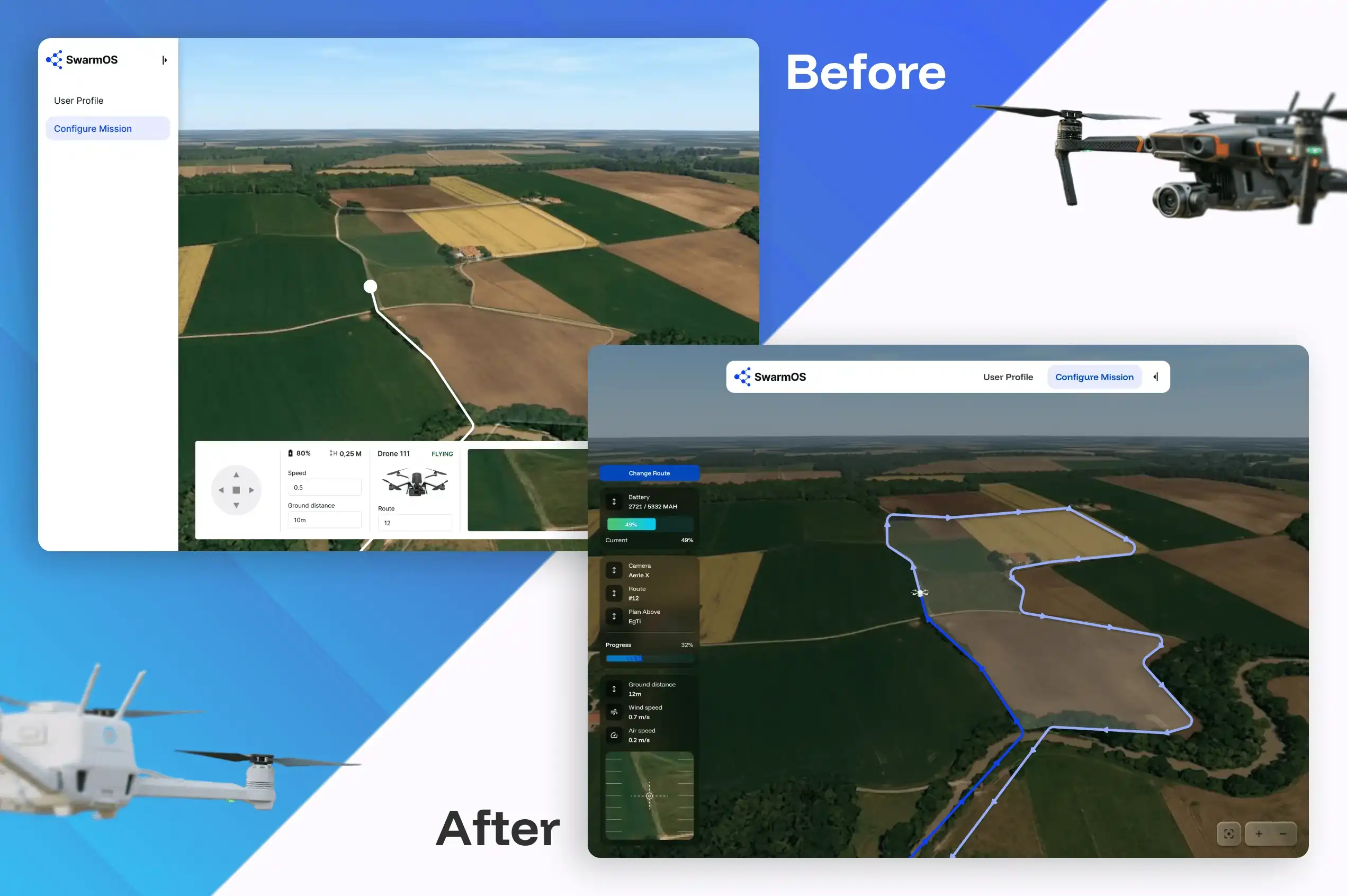
Dinamicka Development began with a comprehensive UI audit of the multi-robot orchestration software and a detailed analysis of the user experience to identify critical issues that made the system difficult to use. Prioritizing these tasks allowed the client to define a clear scope before development began.
Scenario Branching
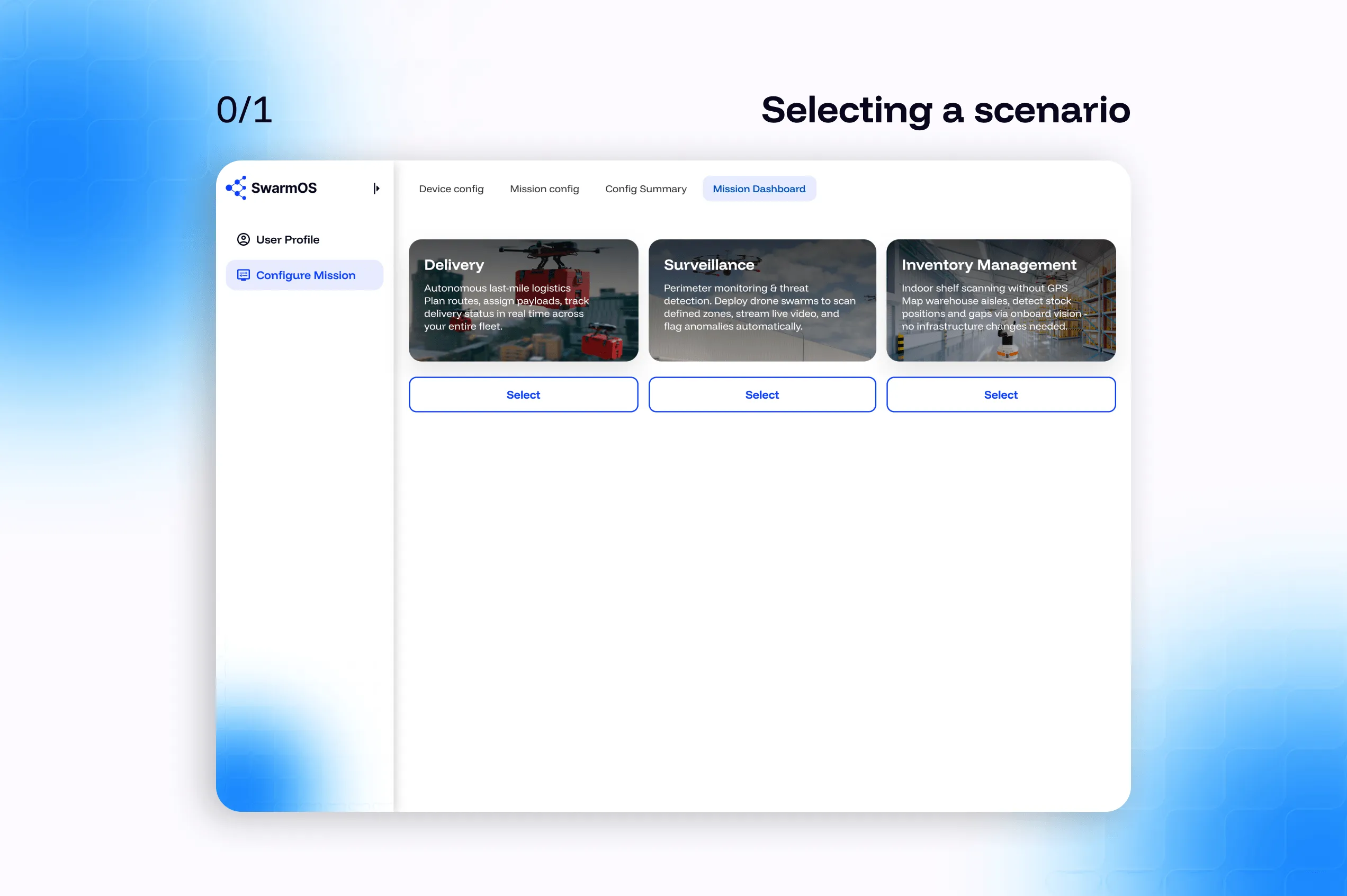
First, and perhaps the main problem, was the missing option to branch scenarios based on mission type. This meant that when an operator logged in to demonstrate a warehouse inventory, they were presented with the same interface as an operator conducting external surveillance.
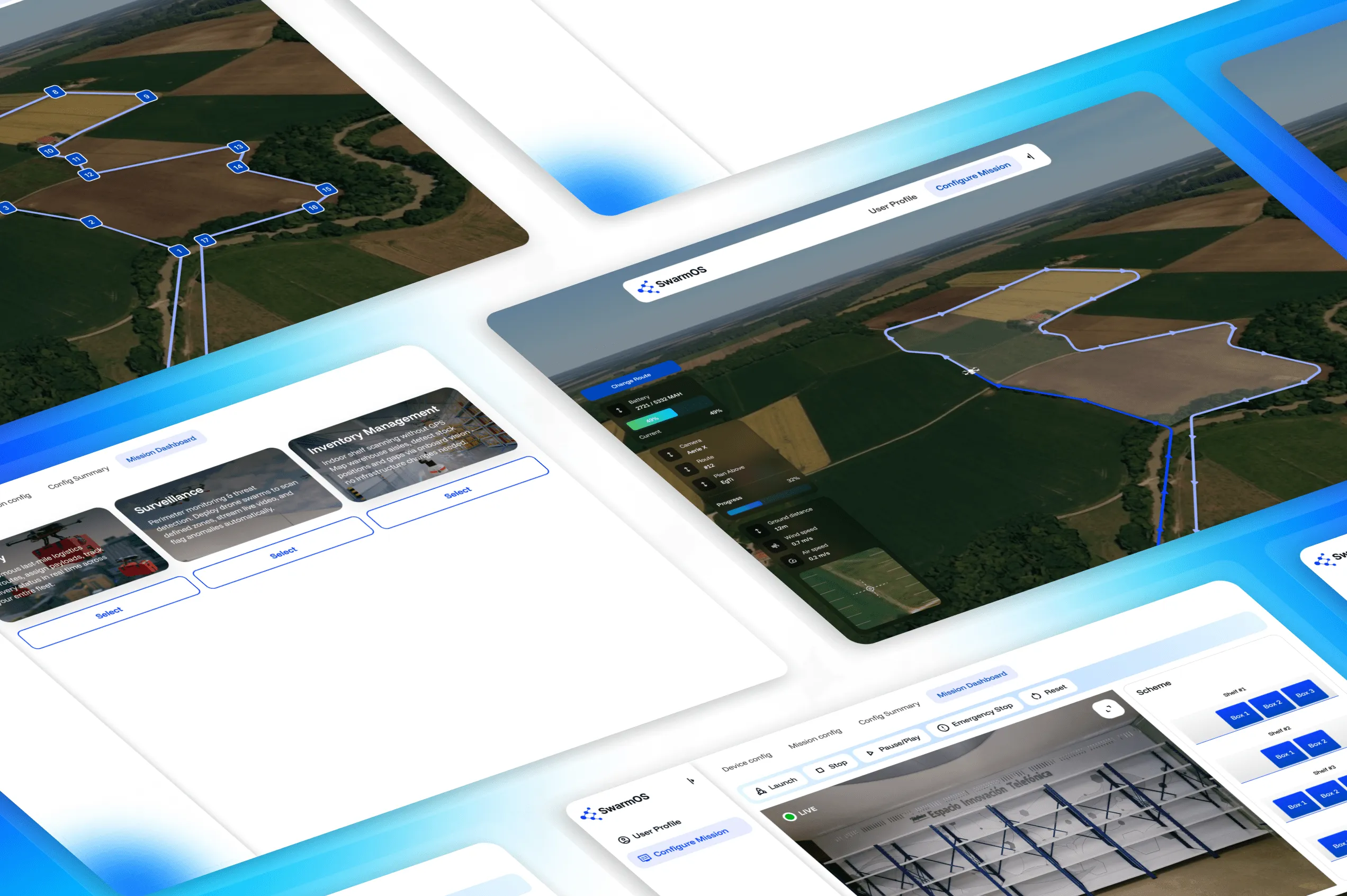
We added a mission type selection page and developed an interface with the necessary user interface elements. The operator selects one of three scenarios (Surveillance, Inventory Management, or Delivery), which determines the entire subsequent workflow: which pages are available, which configuration parameters are shown, and which layout is loaded in the Mission Dashboard.
Map and Telemetry Stabilization
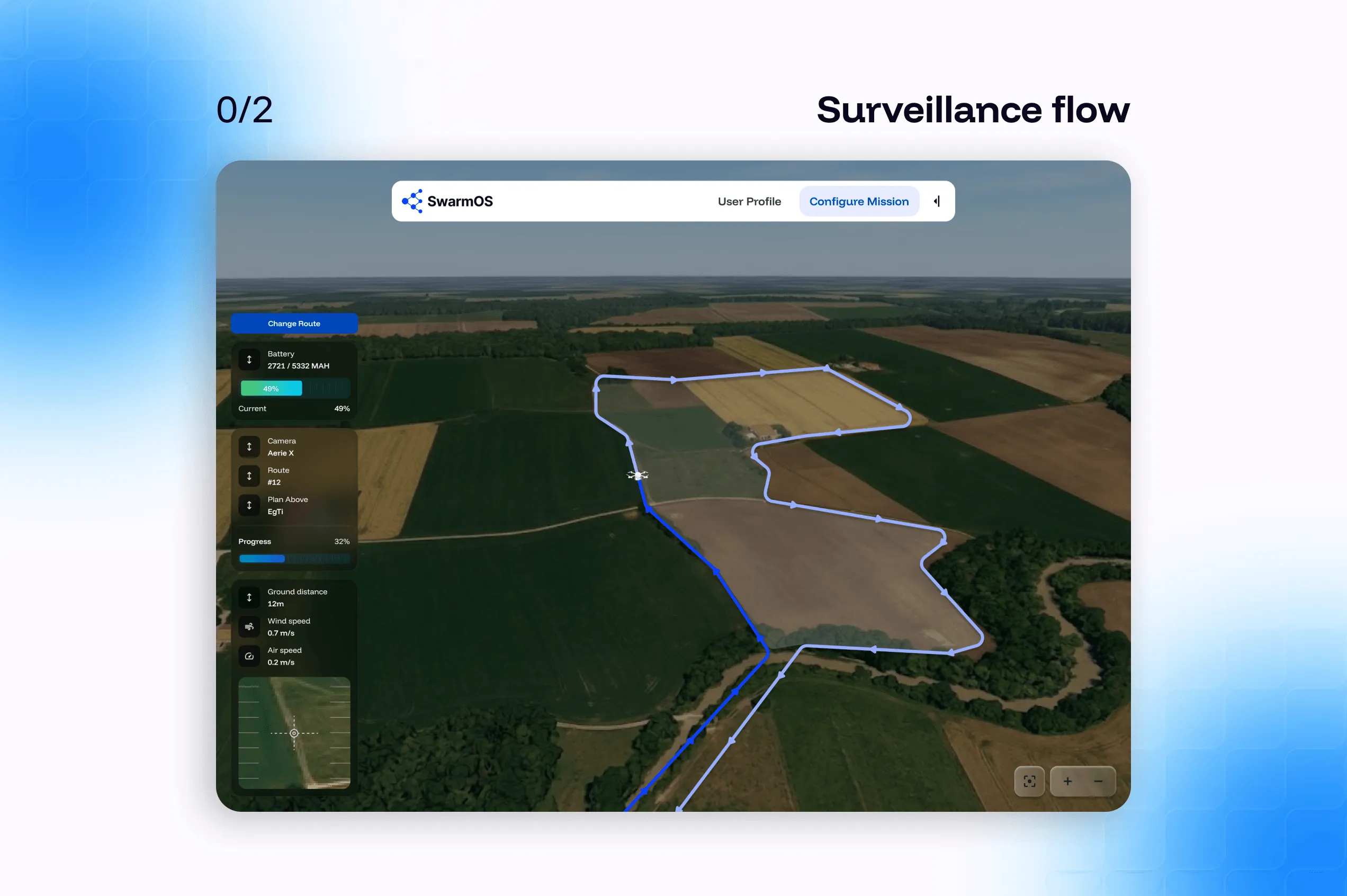
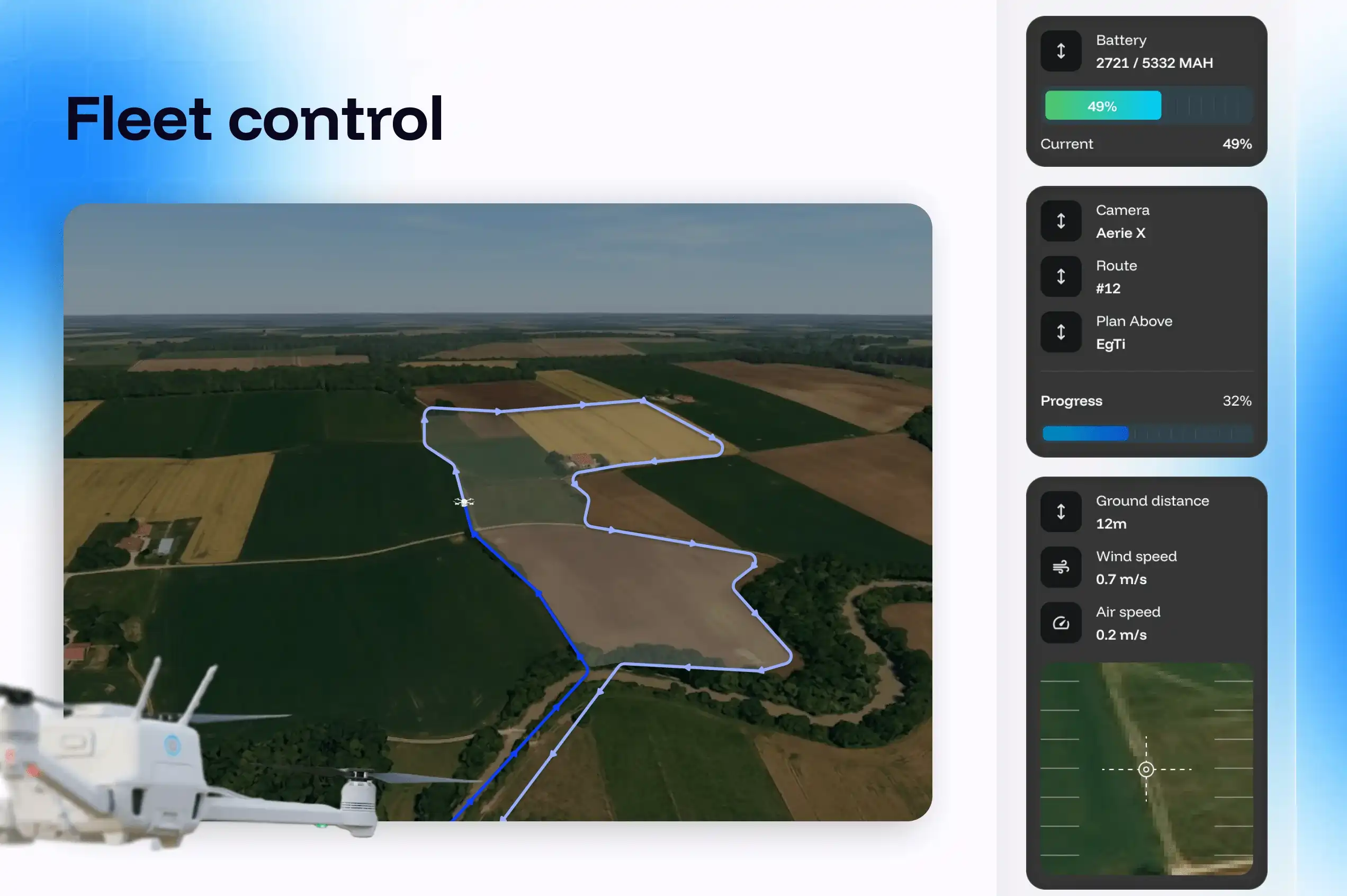
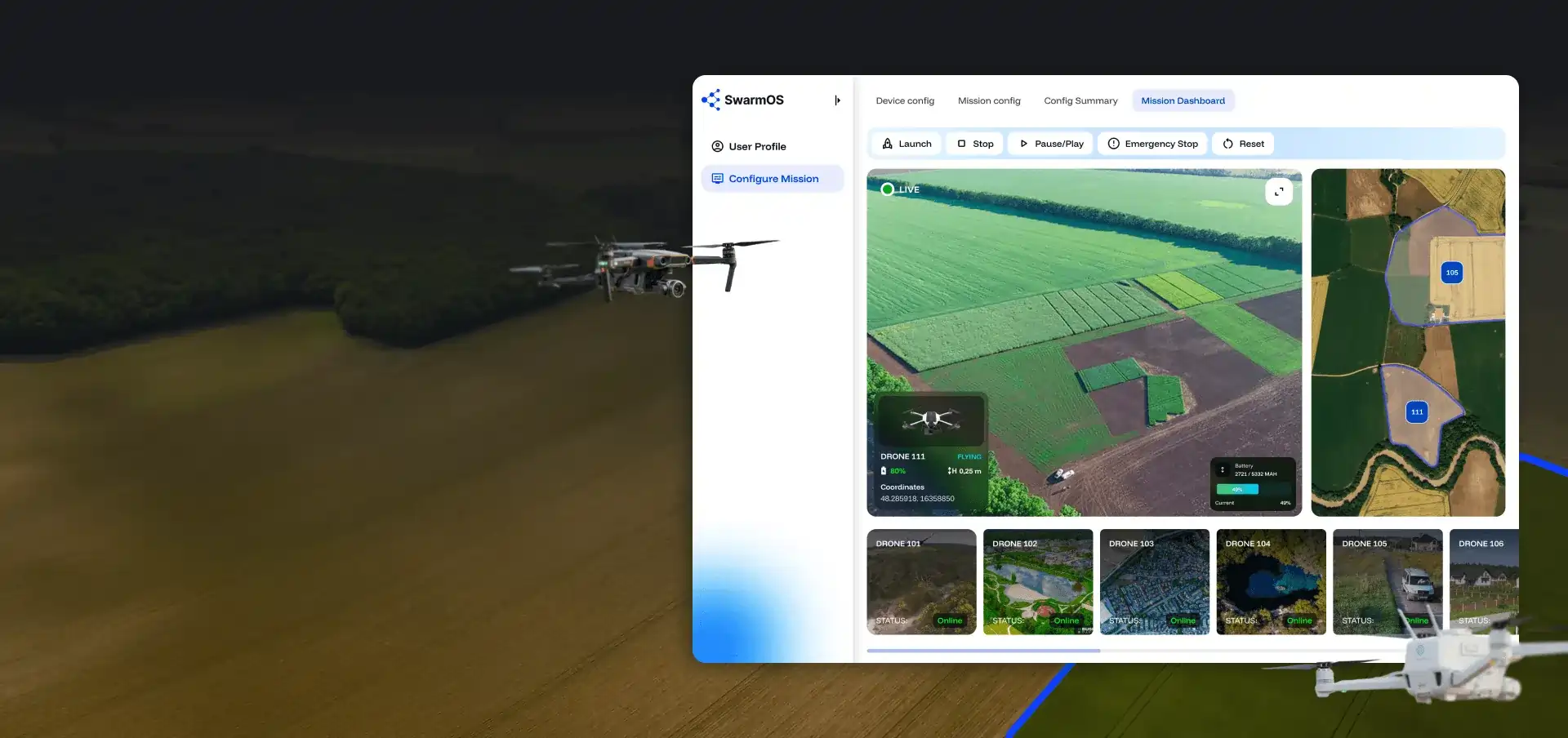
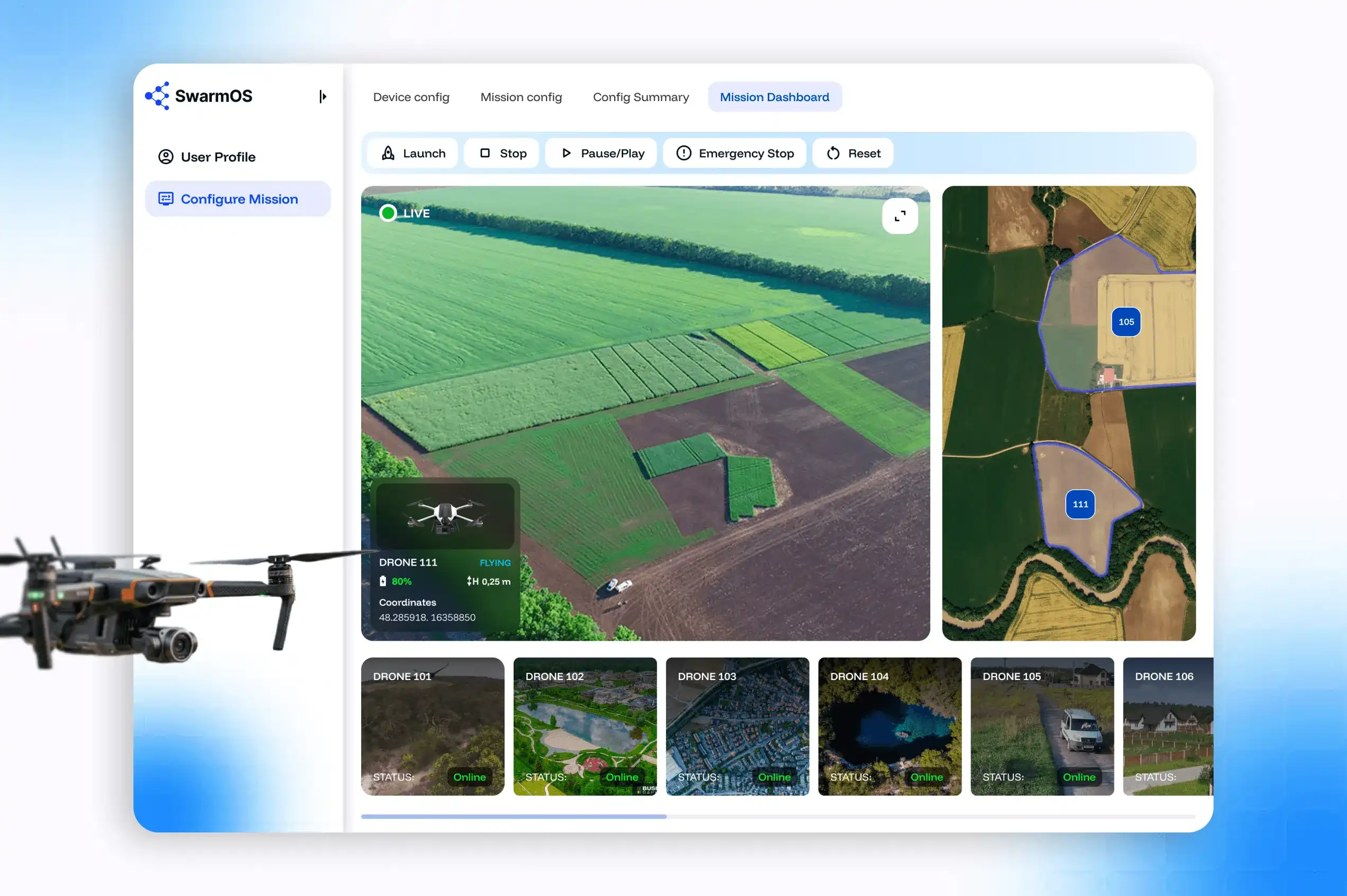
The second issue was the instability of the mission dashboard in the field. UI elements, such as map titles or drone icons, were not loading or disappearing when zoomed. Video streaming was often interrupted and required restarts. This level of instability is critical during a demo.
Dinamicka developers have completely eliminated the causes of component loading instability by linking them to backend telemetry and implemented automatic centering of the map around the current location of active drones. This solution allows the operator to no longer have to manually search for drones on the map. Security parameters, such as battery failsafe, link-loss behavior, and height limits, are locked to a safe level and hidden from editing in the UI.
Storage Racks Graphic Visualization
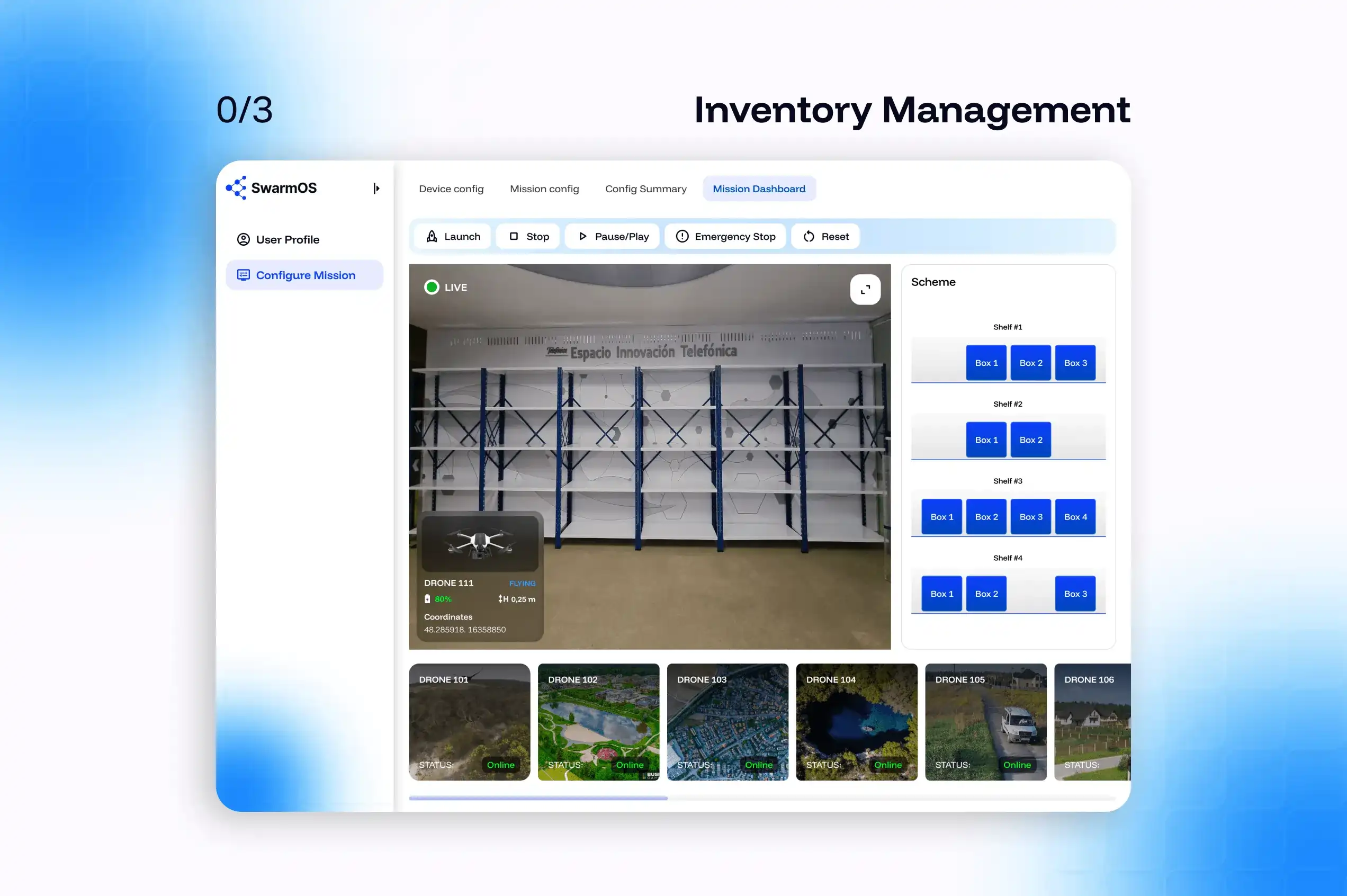
For ease of use of the platform in the indoor scenario, the map was replaced with a graphic representation of the racks. This matches the physical layout of the client’s warehouse. When the robot detects a position on the rack, the corresponding cell in the visualization is filled with a box icon with bound data from the MAVROS stream.
Video Streaming and Mission Status
Video streaming has been switched to the drone level — each drone card in the fleet panel contains its own embedded stream. If the stream is lost, it does not require manual reloading by the operator but is updated automatically. Also, mission state persistence has been implemented: flight paths, drone configuration, and mission parameters are now pulled from the backend on page load, so browser refresh does not reset the active mission context.
Layout Mission Dashboard
We reorganized the layout so that all operationally important information — the map or shelf visualization, drone cards with status and stream — was in the visibility zone without scrolling. Mission control buttons (Launch, Stop, Pause/Play, Emergency Stop) are placed in a fixed top bar.


 Bootstrap
 JavaScript
 Node.js
  Vue.js